Flagship project
Mise Intelligent Chef
Recipe import · Sous, a Claude-powered cooking companion · a full visual identity reset
I built a full-featured recipe app, used it on myself for a few weeks, and found out I was ignoring most of it. The one thing I actually did—every single time I cooked—was open a separate ChatGPT conversation to ask about substitutions and recalculate macros. So I cut the rest and built that, properly, inside the product.
The problem
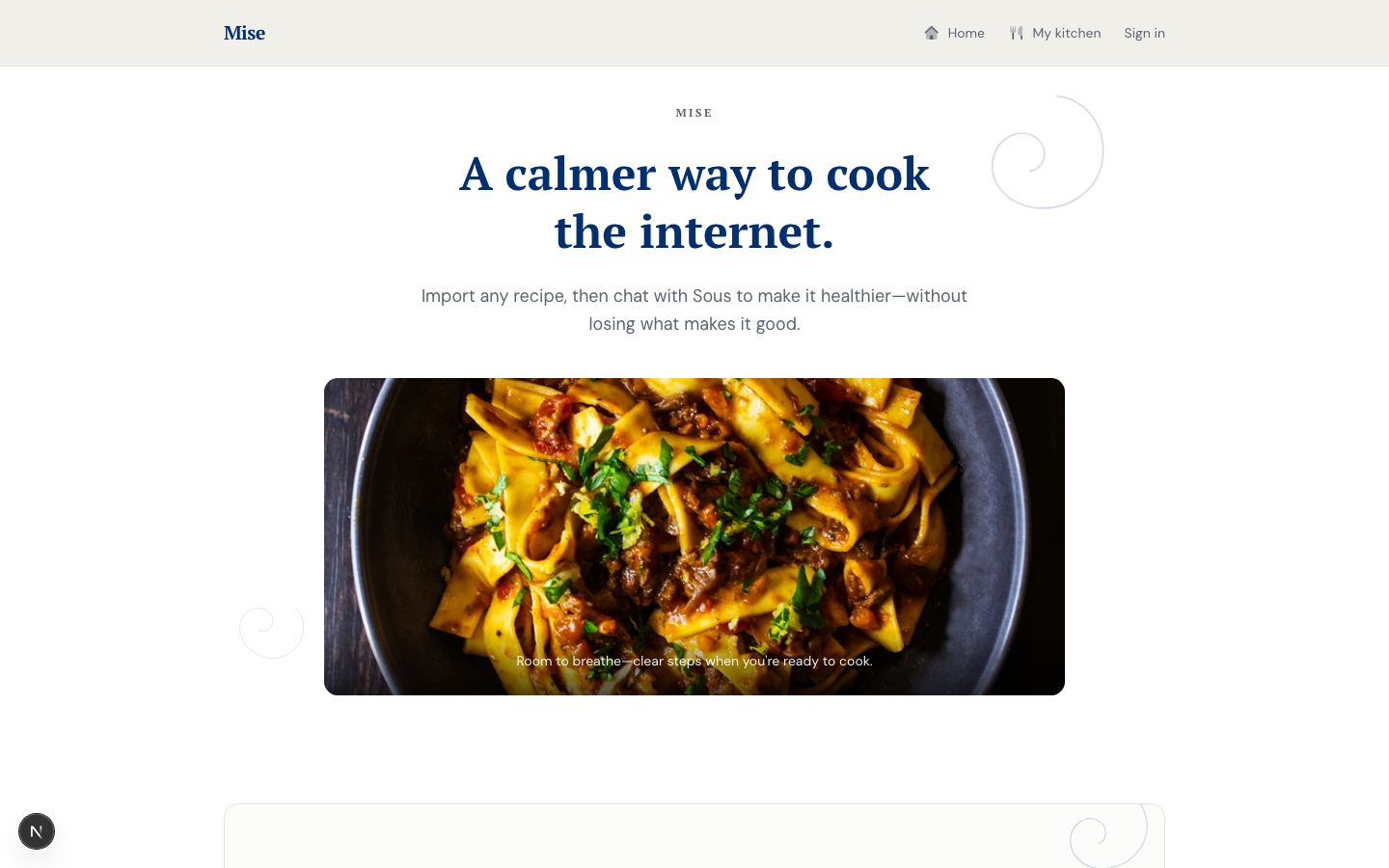
Recipe websites are built for traffic, not cooking. Five paragraphs of backstory, an ingredients list that drifts from the steps, instructions that assume you've done this before. That was the starting premise, and it's still true.
But it wasn't the real problem. The real friction shows up after you've already found a recipe you like: you don't have heavy cream, or you're cooking for six instead of four, or you just want to know what a dish actually costs you nutritionally before you commit to making it. That renegotiation—swap this, rescale that, what's the protein now—was happening in a completely separate app, every time, disconnected from the recipe itself.
What I actually discovered
The first version of Mise had two full surfaces: an editorial mode for browsing and importing recipes, and a dedicated cook mode—a step-by-step, timer-synced, touch-friendly view for standing at the counter. It also had a Claude-powered ingredient-swap sheet and a batch dietary-goal shifter that could rewrite an entire ingredient list in one pass. It was a genuinely full-featured app, and all of it worked.
Then I used it on myself for a few weeks, the way an actual home cook would. And when I looked honestly at what I was doing, the step-by-step cook mode barely got touched. What I actually did, every single time, was open a completely separate ChatGPT conversation to ask things like "can I use chickpeas instead of white beans" or "what does this look like at six servings instead of four." The app I'd built and the behavior I actually had were two different products.
That's the kind of thing that's easy to miss if you only ever watch other people use something, and easy to see the moment you're your own most honest user. So I made the harder call: cut cook mode, the prep checklist, the swap sheet, and the batch dietary shifter entirely, and rebuild the one behavior that mattered as a first-class feature. That became Sous.
Meet Sous
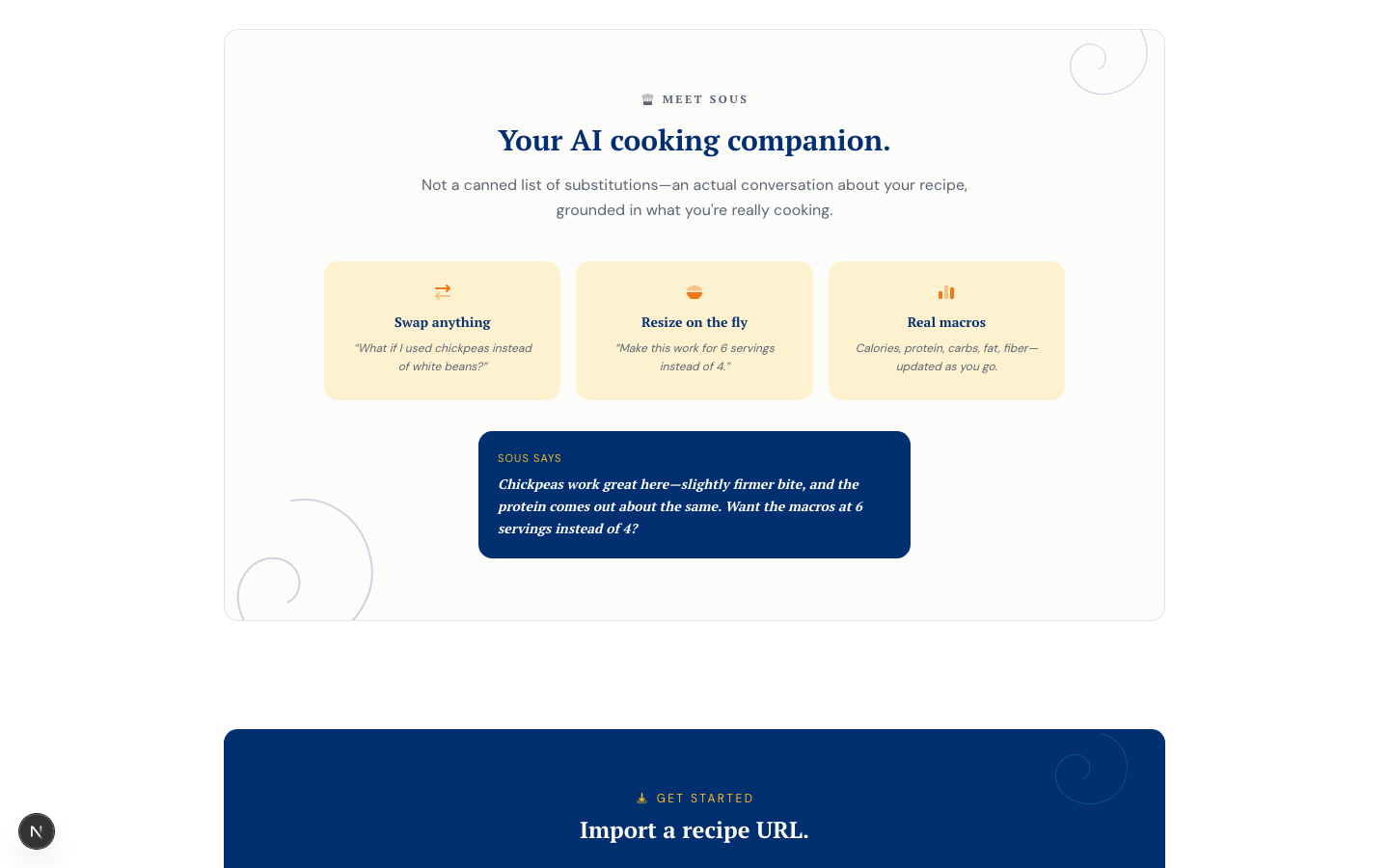
Sous is a recipe-scoped chat, not a bolted-on assistant widget. It opens already knowing the recipe you're looking at—every ingredient, every quantity—so the first question you ask doesn't need context you haven't given it yet.
- Swap anything. Ask about a substitution in plain language and get a real answer—what changes, what to watch for, whether it's actually a good idea—grounded in the specific dish, not a generic substitution chart.
- Resize on the fly. A servings stepper recalculates the whole recipe, and Sous carries that context into the conversation without being asked twice.
- Real macros. Calories, protein, carbs, fat, and fiber update as the conversation and servings change—not a one-time nutrition label, a running estimate that stays honest as the recipe changes underneath it.
Every demo recipe on the homepage is fully playable with Sous—no account, no sign-up. That was a deliberate bet: the fastest way to prove the feature is worth the friction of creating an account is to remove that friction for the first conversation entirely.
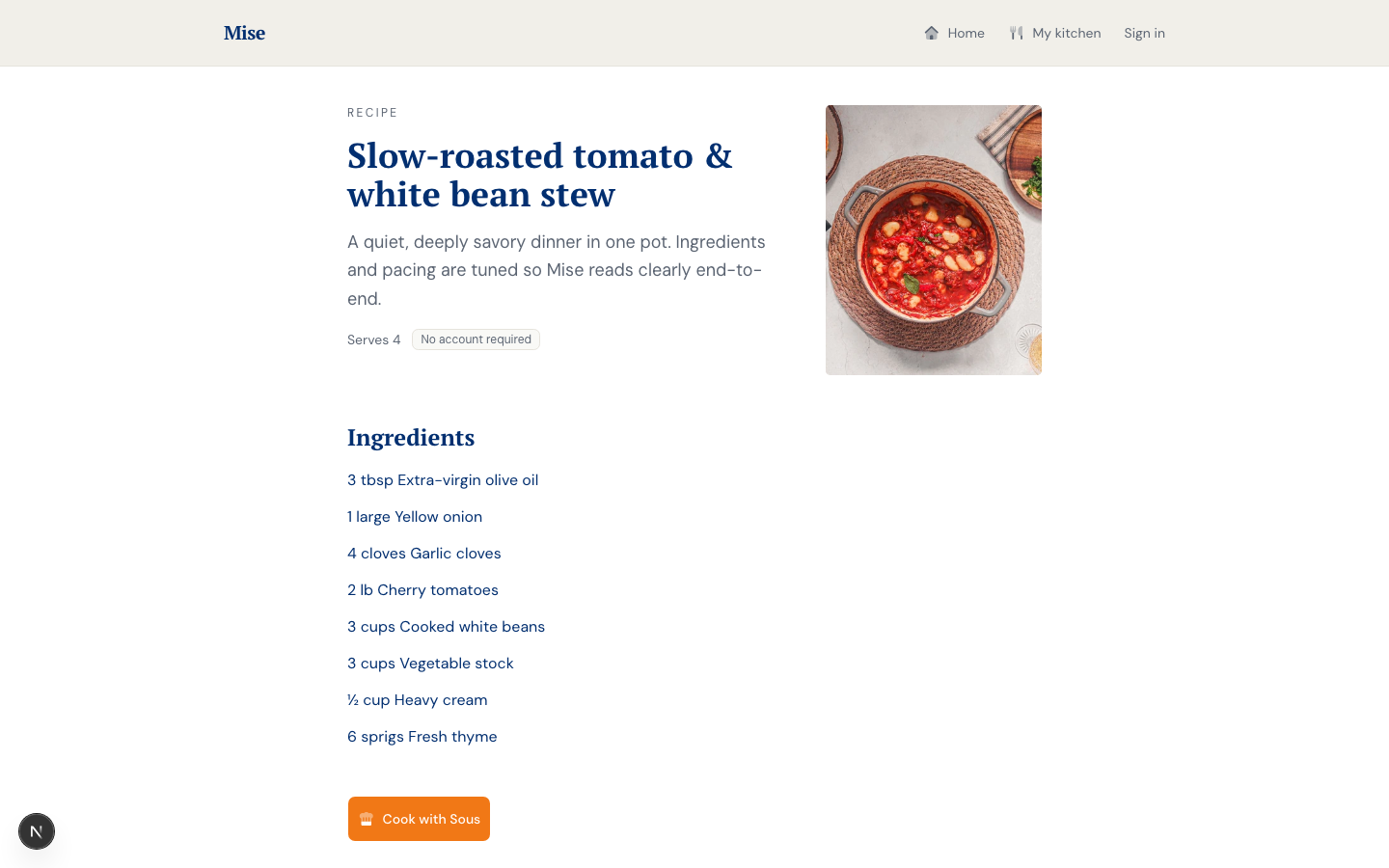
A real conversation, not a mockup
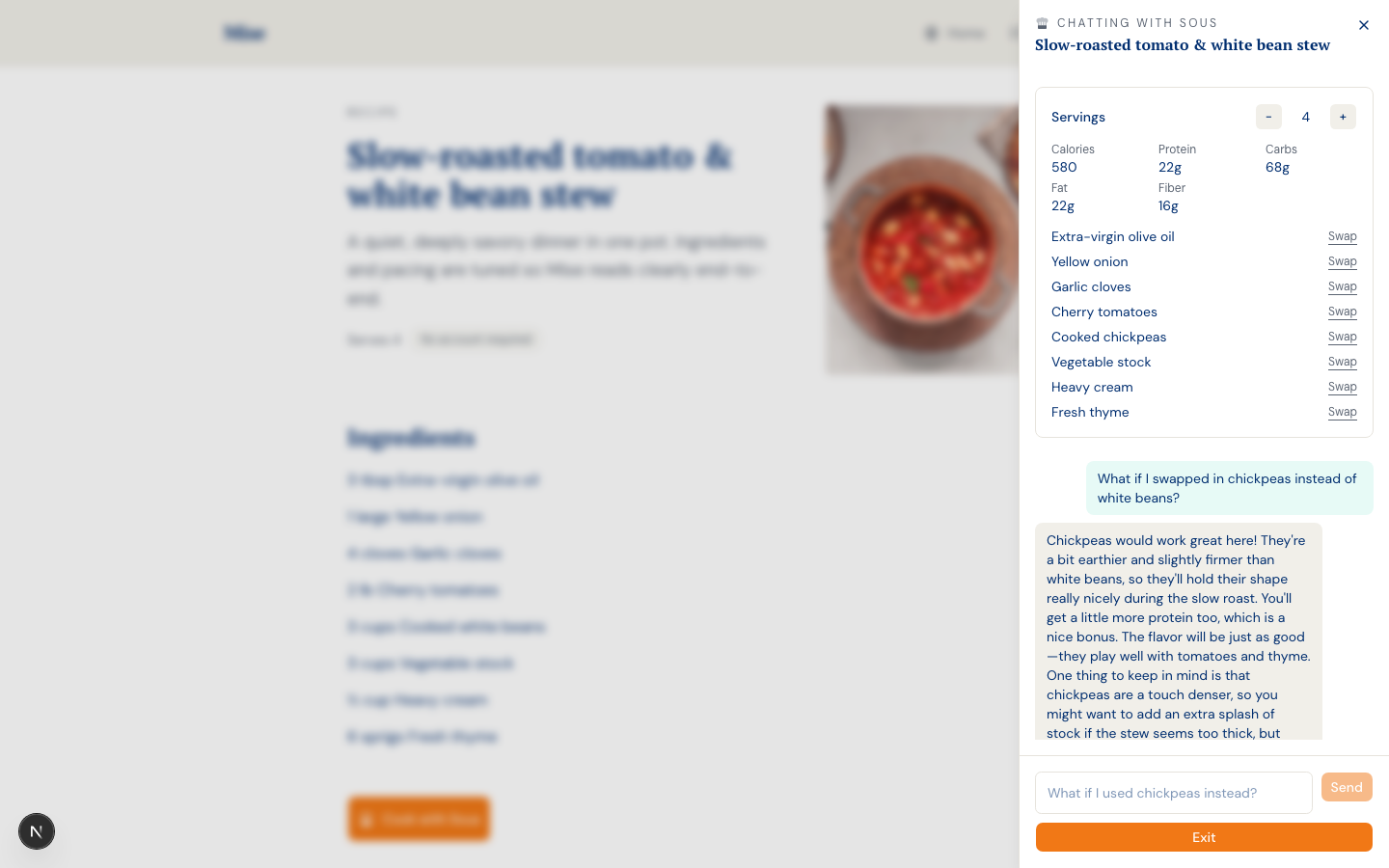
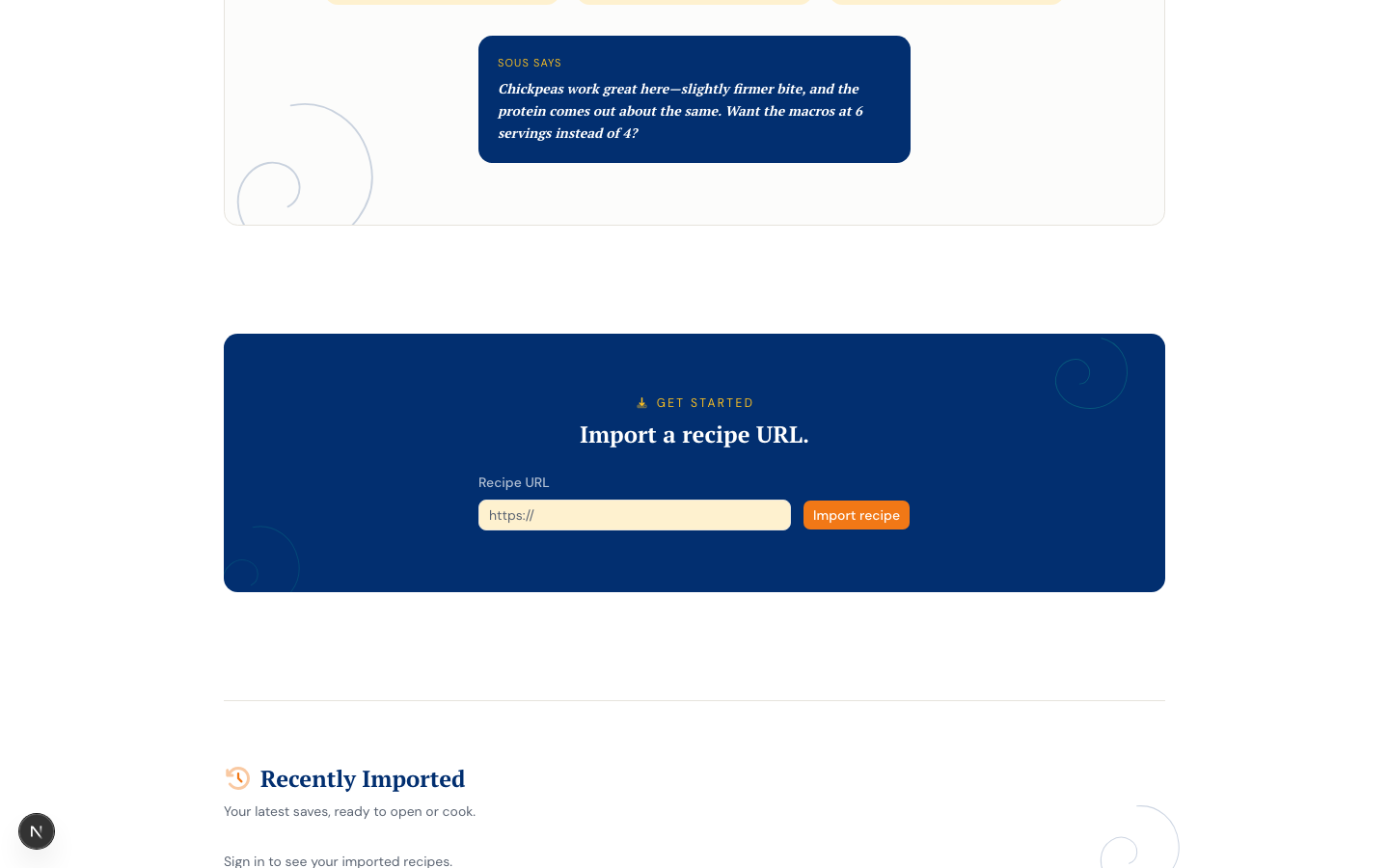
This is a live exchange with the deployed app, not a designed composite. I asked Sous whether chickpeas would work in place of white beans in a slow-roasted tomato stew, and it answered with the actual tradeoff—firmer texture, similar protein, a note about stock if the stew runs thick—instead of a canned substitution list. The macro panel above the conversation is live too: it reflects the current servings count and updates in place as the conversation continues.
Getting a model to answer honestly is harder than getting it to answer confidently. An earlier draft of Sous's sample copy claimed chickpeas added "40 more grams of protein per batch" compared to white beans—a plausible-sounding number that's simply wrong; the two are close in protein per cup. Catching that meant treating nutritional claims with the same scrutiny as any other factual output, sample copy included.
What I built
- Sous, a recipe-scoped nutrition chat (Claude Haiku) — A persisted chat session per recipe, keyed to
recipe_nutrition_sessionsin Supabase, carrying servings, ingredient overrides, and macro estimates as first-class state rather than re-deriving them from chat history on every turn. Retries are structured: transient failures retry with backoff, but auth and bad-request errors from the Anthropic API fail fast instead of burning a retry budget on something that will never succeed. - A no-signup demo path — The same
/api/nutrition-chatroute branches on whether a request carries a realrecipeId(signed-in, persisted, per-user rate-limited) or an inlinerecipeTitle+ingredientspayload (demo mode: no auth, no database access at all, IP-keyed rate limit). The branch is structural, not a flag—the demo path can't accidentally reach a real user's data because it never queries the recipes table in the first place. - Three-tier recipe import pipeline — Spoonacular for enriched imports when a key is configured; a custom JSON-LD adapter that fetches the URL directly and parses
<script type="application/ld+json">blocks for the@type: "Recipe"node when it isn't; a demo mock adapter as a zero-dependency fallback. Most major recipe sites import cleanly at one of the three tiers. - Duplicate-import prevention — A unique index on
(user_id, source_url)plus an application-level check before the (comparatively expensive) import pipeline runs, so re-importing a URL you've already saved returns the existing recipe instead of creating a copy. A race between two near-simultaneous imports of the same URL still resolves correctly—the losing insert hits the unique constraint and the action recovers by looking up the row the winner just created, rather than surfacing a raw database error. - Server-side image proxy — Recipe images route through
/api/image-proxy, which fetches with a browser User-Agent and setsRefererto the source hostname to bypass hotlink protection, blocks private IP ranges, validates by content-type, caps at 8 MB, and serves withCache-Control: privateso a CDN never caches one recipe's photo under another's URL. - Font Awesome Pro Duotone icon system — Every icon in the app runs through a single
DuotoneIconwrapper that sets the secondary-layer opacity via a CSS custom property, so the two-tone treatment is consistent everywhere without repeating inline styles at each call site. - Auth & security — Supabase SSR with cookie-aware server and client boundaries, RLS on every table so no row is reachable outside its owner, and a sliding-window rate limit on the authenticated nutrition-chat endpoint to prevent API cost abuse.
A visual identity that had to earn its confidence
The first shipped design was calm and quiet on purpose—a muted neutral palette, generous whitespace, a serif tagline that read "a calmer way to cook the internet." It was fine. It also didn't say anything about what made Sous worth using, and once the product's actual center of gravity shifted, the identity needed to move with it.
The first attempt at "more personality" overcorrected: a bubbly rounded display font, a cream-and-blush palette, fully pill-shaped everything. It photographed fine in isolation and read as unmistakably junior once it was live—every surface fighting for the same amount of attention, nothing left to signal confidence. Rebuilding it meant treating color the way a site like Allrecipes actually does: layered backgrounds instead of one flat tone (white chrome, a tinted content panel, white cards on top), ink-black headlines instead of accent-colored ones, and an accent color used as a border and a line before it's ever used as a fill. The final system pairs a confident serif with a navy ink, an orange primary accent, and one deliberately bold dark panel partway down the homepage—a visual break in an otherwise light, editorial layout, not a color choice made in isolation.
Design decisions
Cutting a working feature is still a design decision
Cook mode wasn't broken. It had a synced timer, per-step ingredient narrowing, a session model that survived a phone lock. It was also not the thing I reached for. Removing working software is a harder call than removing something that's clearly failing, because there's no error message telling you it's wrong—only your own usage data, if you're willing to look at it honestly.
A no-signup demo is a credibility bet, not a growth hack
Letting anyone chat with Sous on a demo recipe before creating an account means the feature has to be good enough to survive first contact with zero context about the user. That's a higher bar than gating it behind sign-up, and it's the right bar—if Sous only feels good after you've already committed to an account, that's a sign it isn't good enough yet.
Honest beats impressive in nutrition copy
It would have been easy to let Sous's sample responses lean toward whatever sounds most compelling—bigger protein deltas, more dramatic swaps. The fix for the chickpea/protein error wasn't a better-sounding number; it was admitting the swap is close to a wash and saying so. A cooking assistant that exaggerates results isn't a feature worth having.
Color should earn its saturation before it gets a fill
The visual reset's real lesson wasn't a palette swap, it was a rule: an accent color proves itself as a border, a line, or a small icon tint before it's allowed to become a large filled surface. Applied consistently, that rule is what separates a confident, restrained interface from one where every element is shouting at the same volume.
A structural branch is safer than a conditional flag
The demo mode for Sous could have been a boolean flag checked before a database call. Instead, the route branches on which shape of payload arrived—a real recipeIdversus an inline title and ingredient list—so the demo code path is physically incapable of reaching a signed-in user's data, rather than merely instructed not to.
Stack
- Claude Haiku (Anthropic) — Powers Sous via
@anthropic-ai/sdk, with a retry layer that distinguishes transient failures from non-retryable API errors, and structured-output validation on every macro estimate and ingredient override before it reaches the UI. - Next.js (App Router, Turbopack) — Server Components for data fetching, Server Actions for mutations, Route Handlers for the nutrition-chat and image-proxy endpoints.
- Supabase SSR — Per-request server clients for auth-aware queries; RLS on every table so no row is reachable outside its owner.
- shadcn/ui on Base UI — Dialog, Sheet, Tooltip, and Button primitives, kept on one component library end to end rather than mixing UI kits.
- Font Awesome Pro (Duotone) — The full icon system, routed through one wrapper component for consistent secondary-layer styling.
- Recipe import pipeline — Spoonacular for enriched parsing when configured; a custom JSON-LD structured-data adapter as a free fallback; a demo mock adapter for zero-dependency demos.
What building it surfaced
- Watch what you actually do, not what you built for yourself to do. The gap between Mise's designed cook-mode workflow and my actual weekly behavior (a separate ChatGPT tab, every time) was invisible until I looked at my own usage honestly. Being your own first user only works if you're willing to notice when you don't use the thing you built.
- A single literal value can hide a parsing bug for a long time. Recipe sites frequently encode JSON-LD yield as "1 loaf," "1 batch," or "1 pan"—and a naive parser reads that leading digit as a one-person serving count, producing a confidently wrong "Serves 1" label. The fix wasn't a smarter parser; it was recognizing that a bare
1is almost never trustworthy unless the source text explicitly says "serving." - A demo good enough to remove the sign-up wall is a genuinely different design problem than a demo that's just a locked preview. Making Sous usable pre-auth meant the IP-based rate limit, the inline ingredient payload, and the "no persistence" behavior all had to be designed together—not bolted onto the authenticated path after the fact.
- Taste feedback loops fast when the medium is right. Iterating on the visual identity through quick side-by-side mockups—rather than shipping a full redesign and asking for reactions afterward—turned "I hate the UI, it looks junior" into a specific, actionable set of fixes (typography, color layering, corner radius) within the same conversation, instead of another full redesign cycle.
- CDN cache collisions are silent and maddening. The image proxy originally shipped with
Cache-Control: public. In production, every imported recipe started displaying the same photo—the first one ever fetched—because the CDN was keying its cache by path alone and ignoring the?url=query parameter entirely. The fix wasCache-Control: private. The symptom was obvious; the root cause took reading the CDN's actual cache-keying behavior to confirm.
Outcome
- Mise went from a full-featured app that I only partially used to a smaller app built entirely around the one thing that was actually working. That's a harder edit than adding a feature—it meant deleting a working cook mode, a working swap sheet, and a working prep checklist because the data on my own behavior said they weren't earning their place.
- Sous is the product now, not a feature bolted onto one. It's recipe-scoped, it carries real context into every answer, and it's good enough to hand to a stranger with no account and no onboarding.
- The visual identity went through a real design cycle in the open—shipped, judged too junior, diagnosed specifically, and rebuilt around a rule (accent color earns saturation before it earns a fill) rather than a fixed palette.
- Code lives here: github.com/meganleclair/mise-intelligent-chef.